
Losing or damaging your phone can be stressful, but the thought of losing your phone number can be even worse. Your number is your digital identity, connecting you to friends, family, and important services.
The good news is that replacing your SIM card without changing your number is a straightforward process. Whether your phone was lost, your SIM card stopped working, or you just need a different size for a new device, this guide will walk you through the steps.
Why Would You Need a SIM Replacement?
A SIM (Subscriber Identity Module) card is the small chip that connects your device to a mobile network and links it to your phone number. There are several common reasons why you might need to get a new SIM but want to keep your existing number:
- Lost or Stolen Phone: If your phone is gone, you’ll need a new SIM for your replacement device.
- Damaged SIM Card: SIM cards can get worn out, scratched, or damaged, leading to connectivity problems.
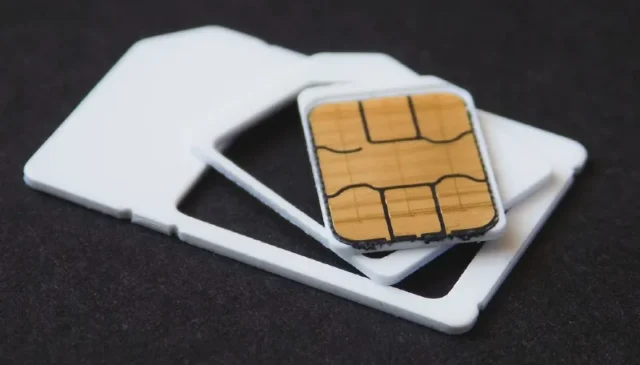
- New Phone, Different SIM Size: Phones use different SIM card sizes (Standard, Micro, or Nano). Upgrading your device might require a different size.
- Upgrading to 4G/5G: To access faster network speeds like 5G, you may need an updated SIM card that supports the technology.
Steps to Replace Your SIM and Keep Your Number
The exact process can vary slightly between mobile service providers, but the general steps are consistent.
- Contact Your Service Provider: This is the most crucial first step. You can call their customer service hotline, visit a physical store, or use their mobile app or website. Inform them that you need to replace your SIM card and want to keep your current number. If your phone was stolen, ask them to immediately deactivate the old SIM to prevent unauthorized use.
- Verify Your Identity: For security purposes, your provider will need to confirm you are the legitimate owner of the account. Be prepared to provide personal information, such as your full name, date of birth, address, or the answer to a security question you set up previously.
- Obtain a New SIM Card: Your provider will issue you a new, blank SIM card. You might be able to pick one up from a retail store on the same day, or they may mail one to you, which can take a few business days.
- Activate the New SIM: Once you have the new SIM, you will need to activate it. This process links your existing phone number to the new SIM card. Activation can often be done online through your provider’s website, by calling a dedicated activation number, or with the help of a representative in-store. You will likely need the serial number printed on the new SIM card package.
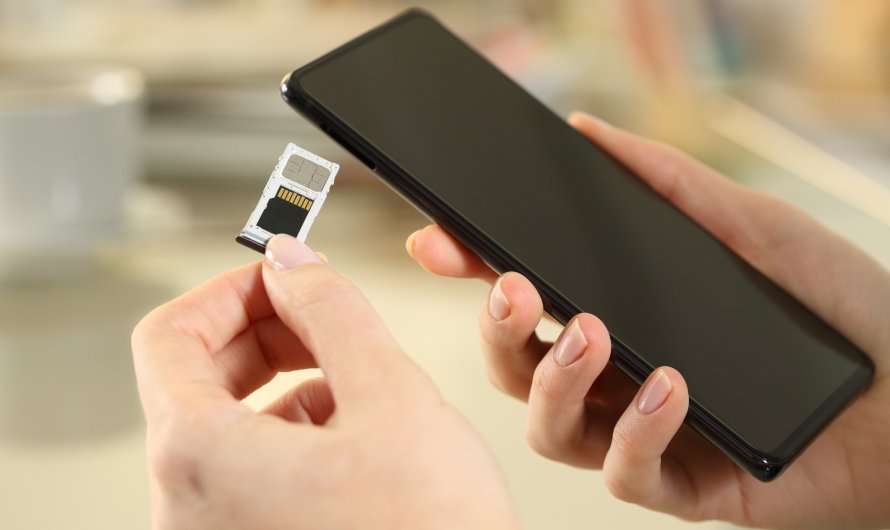
- Insert the New SIM and Test It: Turn off your phone, insert the new SIM card, and turn your phone back on. Once your phone registers on the network, try making a call or sending a text message to ensure everything is working correctly.
Tips for a Smooth Transition
A little preparation can make the SIM replacement process seamless.
- Back Up Your Contacts: Many people still save contacts directly to their SIM card. Before your old SIM stops working (if possible), back up your contacts to your phone’s internal memory or a cloud service like Google Contacts or Apple iCloud. This ensures you don’t lose any important numbers.
- Have Your Account Details Ready: When you contact your provider, have your account number and any security PINs or passwords handy to speed up the verification process.
- Check Your New Phone’s SIM Tray: If you’re getting a new SIM for a new phone, double-check what size it requires. Most new SIMs are 3-in-1 (trio-cut) and can be punched out to fit any device.
Also Read:TM SIM Registration Online Link 2025
Common Issues and Troubleshooting
Sometimes you might run into a snag. Here are a few common problems and how to fix them.
- “No Service” After Activation: If your phone shows “No Service” or “SIM Not Provisioned” after you’ve inserted the new card, try restarting the device. If that doesn’t work, it’s possible the activation hasn’t fully completed. Wait 30 minutes and restart again.
- Activation Delays: While activation is often instant, it can sometimes take a few hours. Be patient. If it takes longer than a day, there may be an issue with your account that requires you to contact your provider again.
- Incorrect SIM Size: If you accidentally got the wrong SIM size, don’t try to cut it yourself, as this can damage the chip. Contact your provider to get the correct size.
Conclusion
Replacing a SIM card while keeping your number is a routine task for all mobile service providers. By following the proper steps and preparing ahead of time, you can ensure a quick and hassle-free transition. Your phone number is too valuable to lose, and fortunately, you don’t have to.
If you encounter any issues during the process or have questions specific to your account, the best course of action is always to contact your service provider’s customer support team. They have the tools and access to help you get reconnected right away.
2 thoughts on “Keep Your Number: A Guide to SIM Card Replacement”